Guidance for Changing vivo's Notification Settings
1. No Sounds, Vibration, or Toasts for New Messages
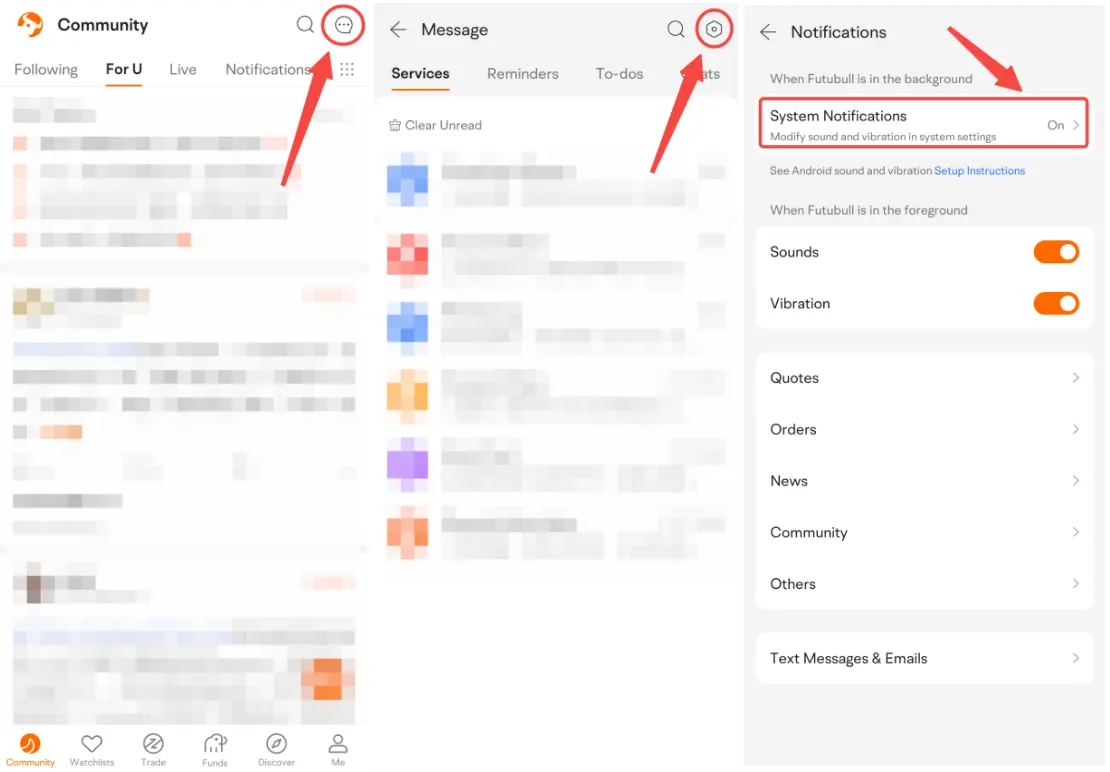
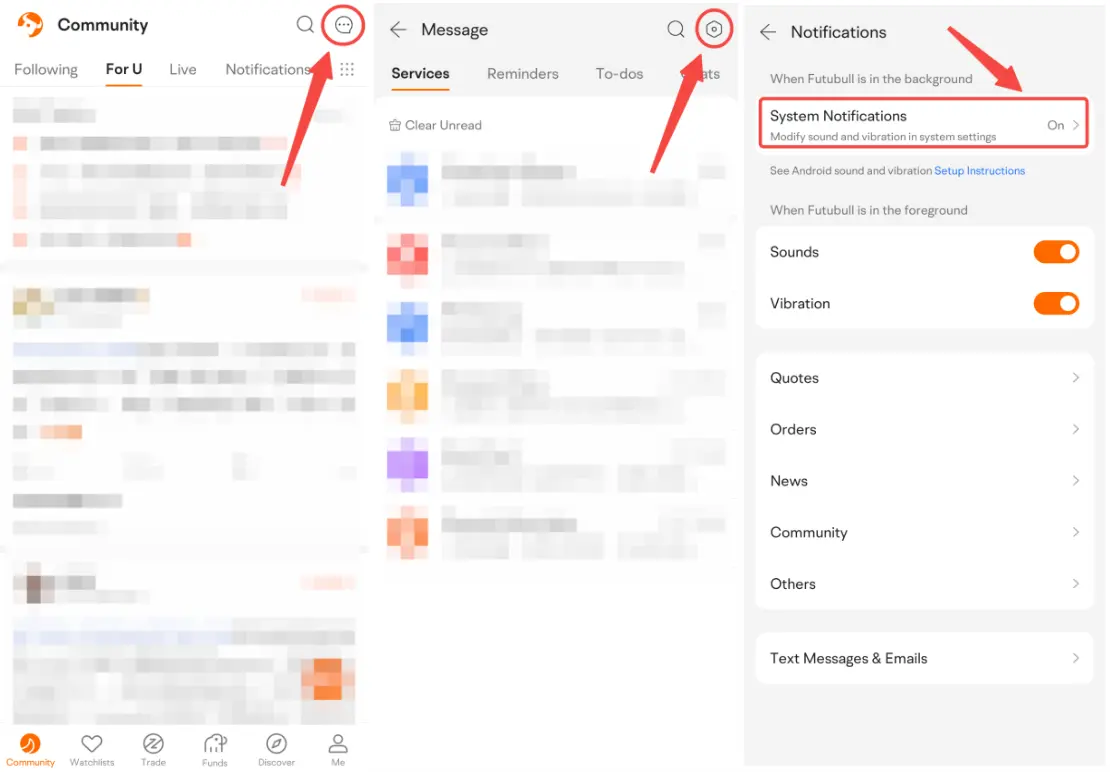
1.1 Open Futubull > Message > Settings > Notifications > System Notifications
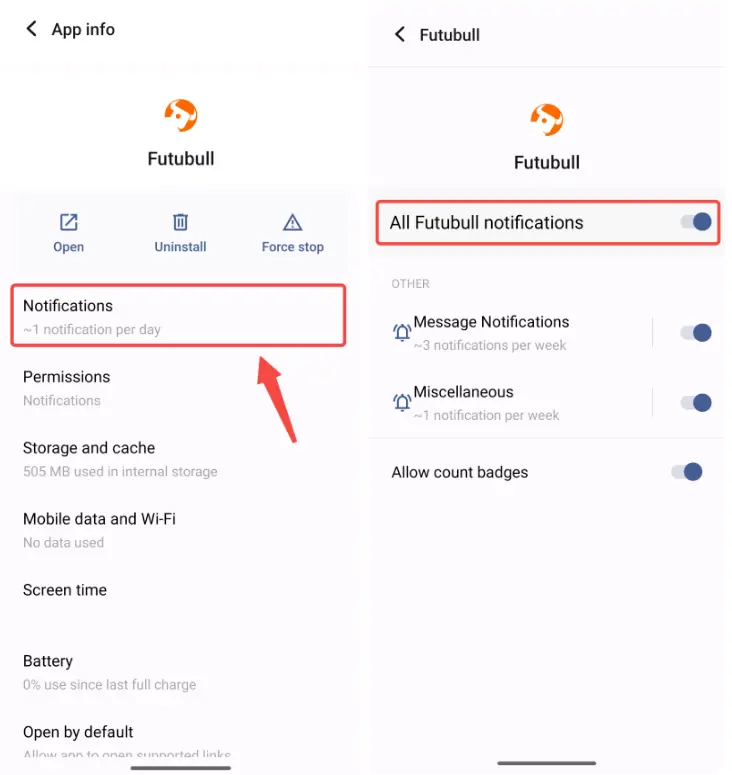
1.2 Tap Notifications. Make sure All Futubull notifications is on.
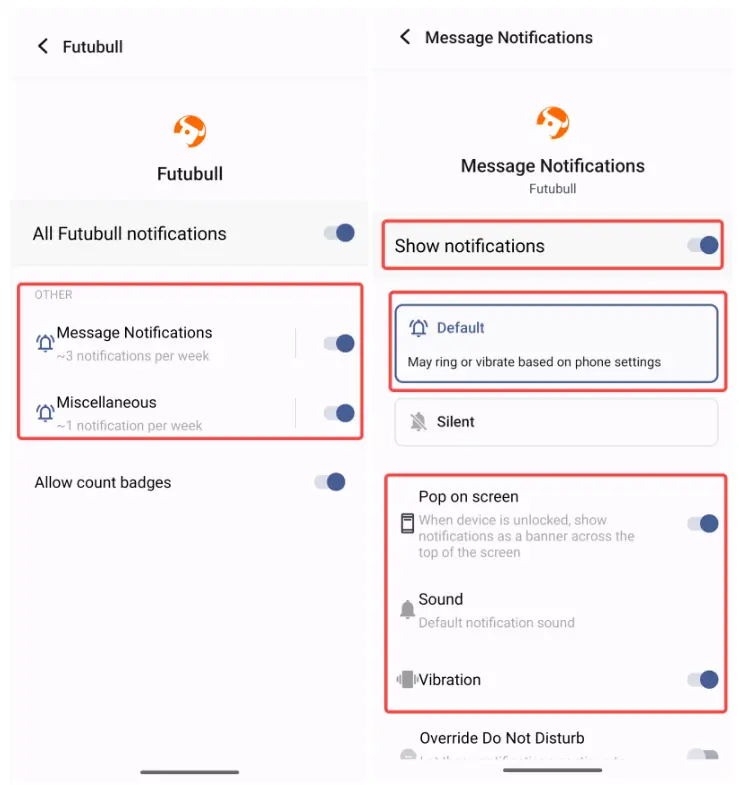
1.3 Tap Message Notifications and Miscellaneous in turn. Turn on Show notifications and choose Default to set a sound. Turn on Pop on screen and Vibration. Set Sound.
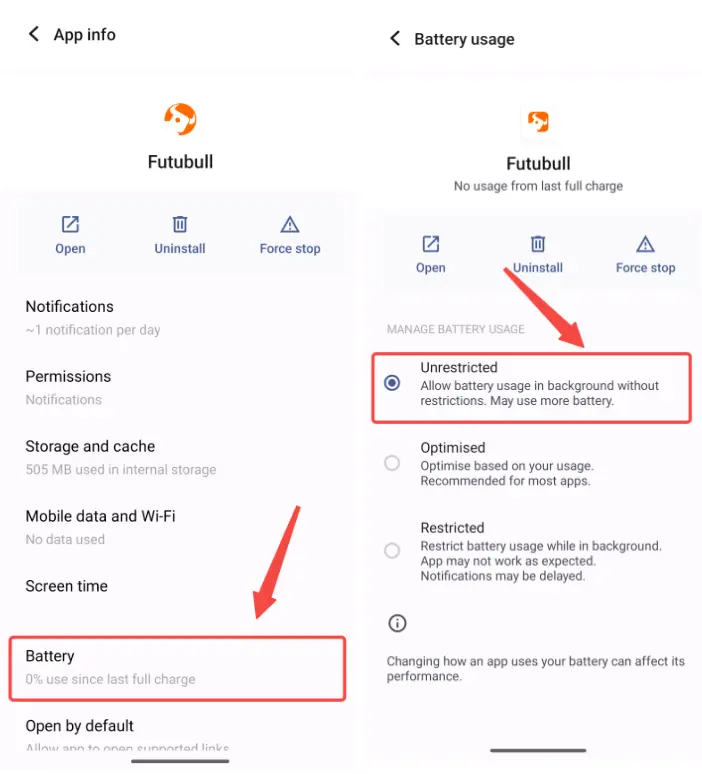
2. Can't Receive New Messages or Messages Delay
2.1 Open Futubull > Message > Settings > Notifications > System Notifications
Middle East conflict spreads to the stock market! How should investors respond?
Over the past month, the US-Iran conflict has continued to impact market sentiment. On March 30, Eastern Time, the Wall Street Journal repor Show More
富哥搞钱
Feb 28 17:22
Breaking! The US and Israel jointly bombed Iran. What will be the stock market trend next week?
牛牛課堂
Mar 4 17:09
Long-term answers | Your account on the left shrinks, while your right hand is chased by the times — Be the person that no bombardment can ever wipe out.