Guidance for Changing the Notification Settings of iPhone and iPad
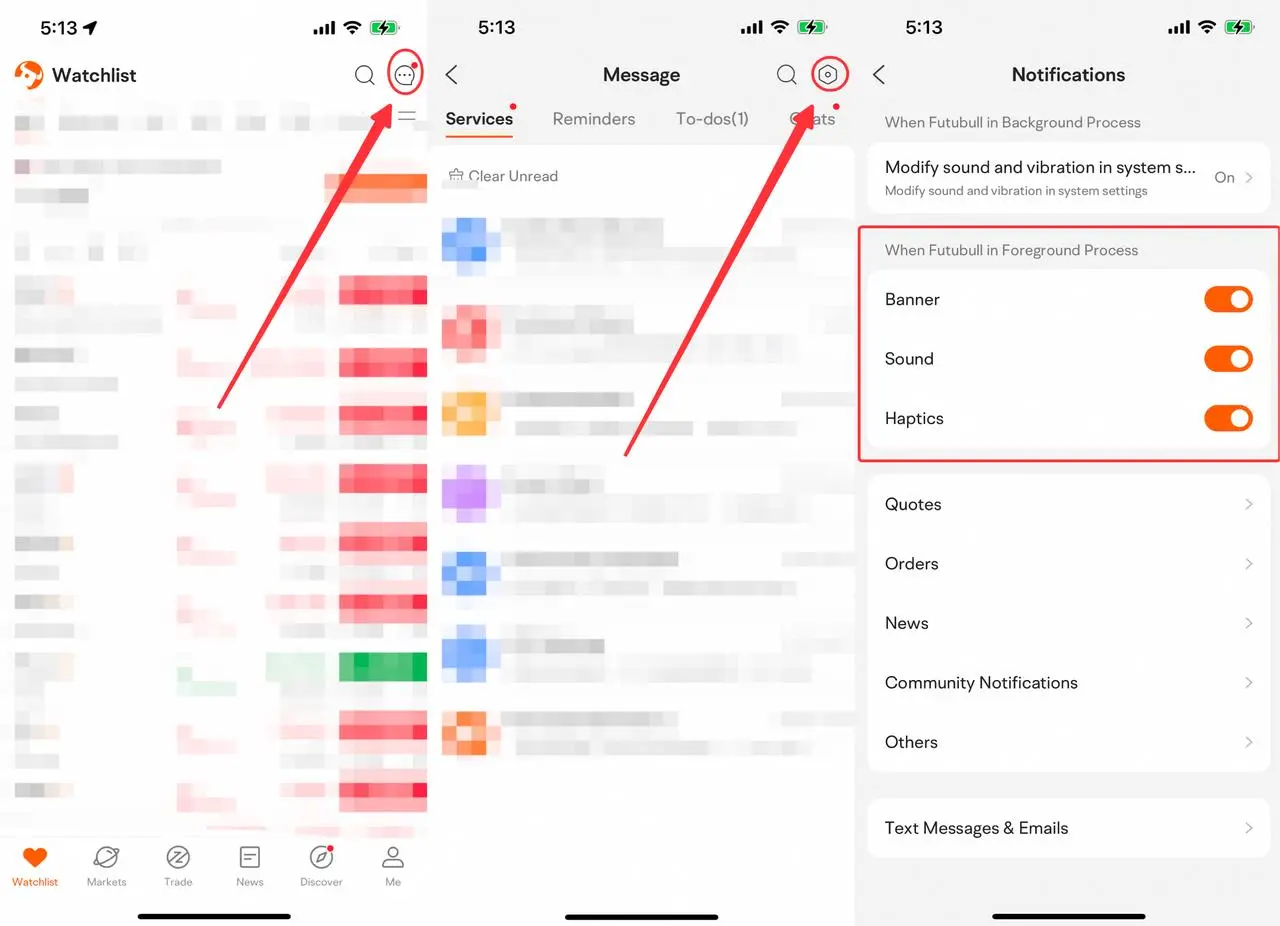
1. No Sounds, Vibration, or Toasts for New Messages when Using Futubull
1.1 Open Futubull > Message > Settings > Notifications. Turn on Banner, Sound, and Haptics under When Futubull in Foreground Process.
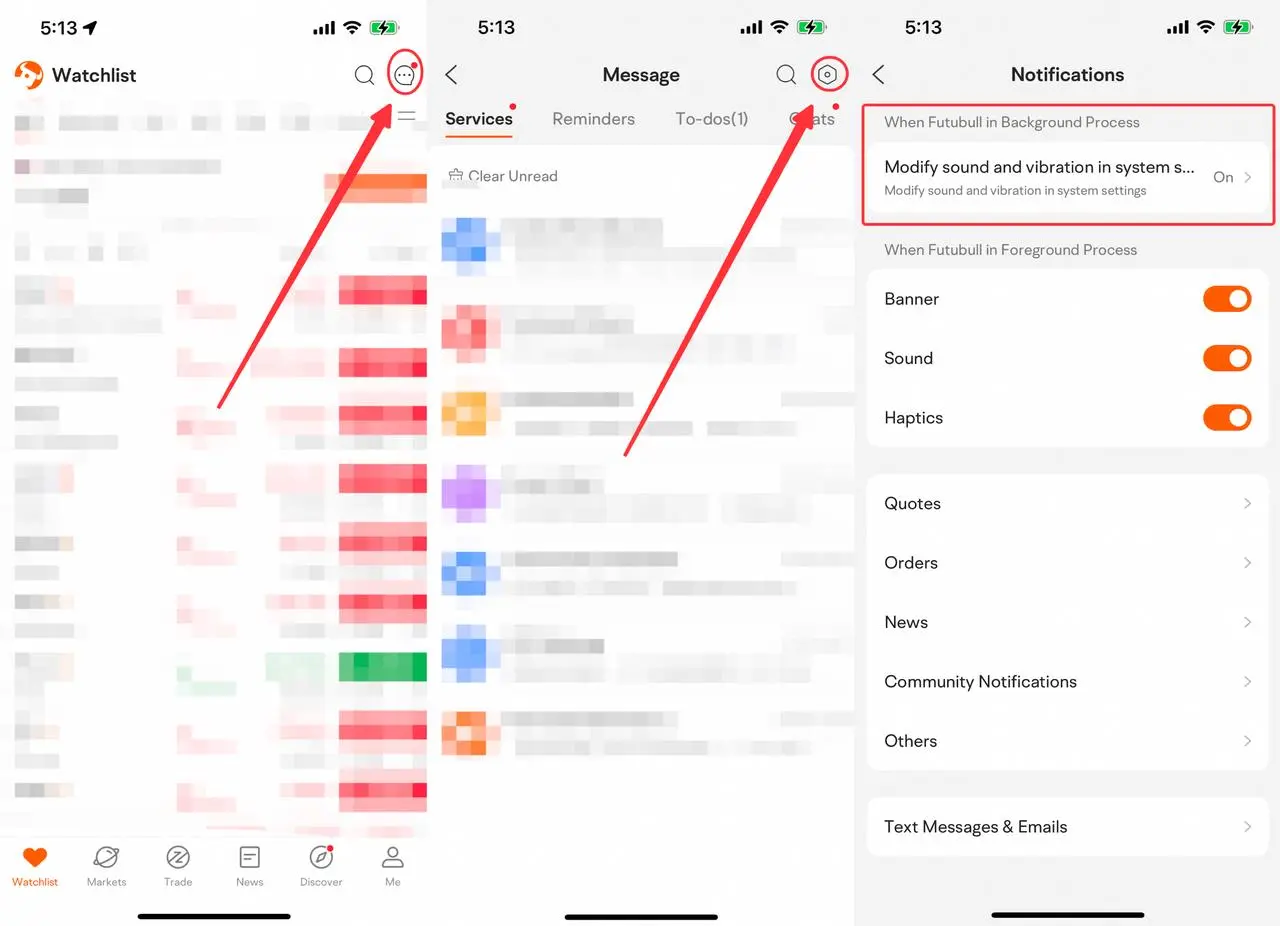
2. No Sounds, Vibration, or Toasts for New Messages when Not Using Futubull
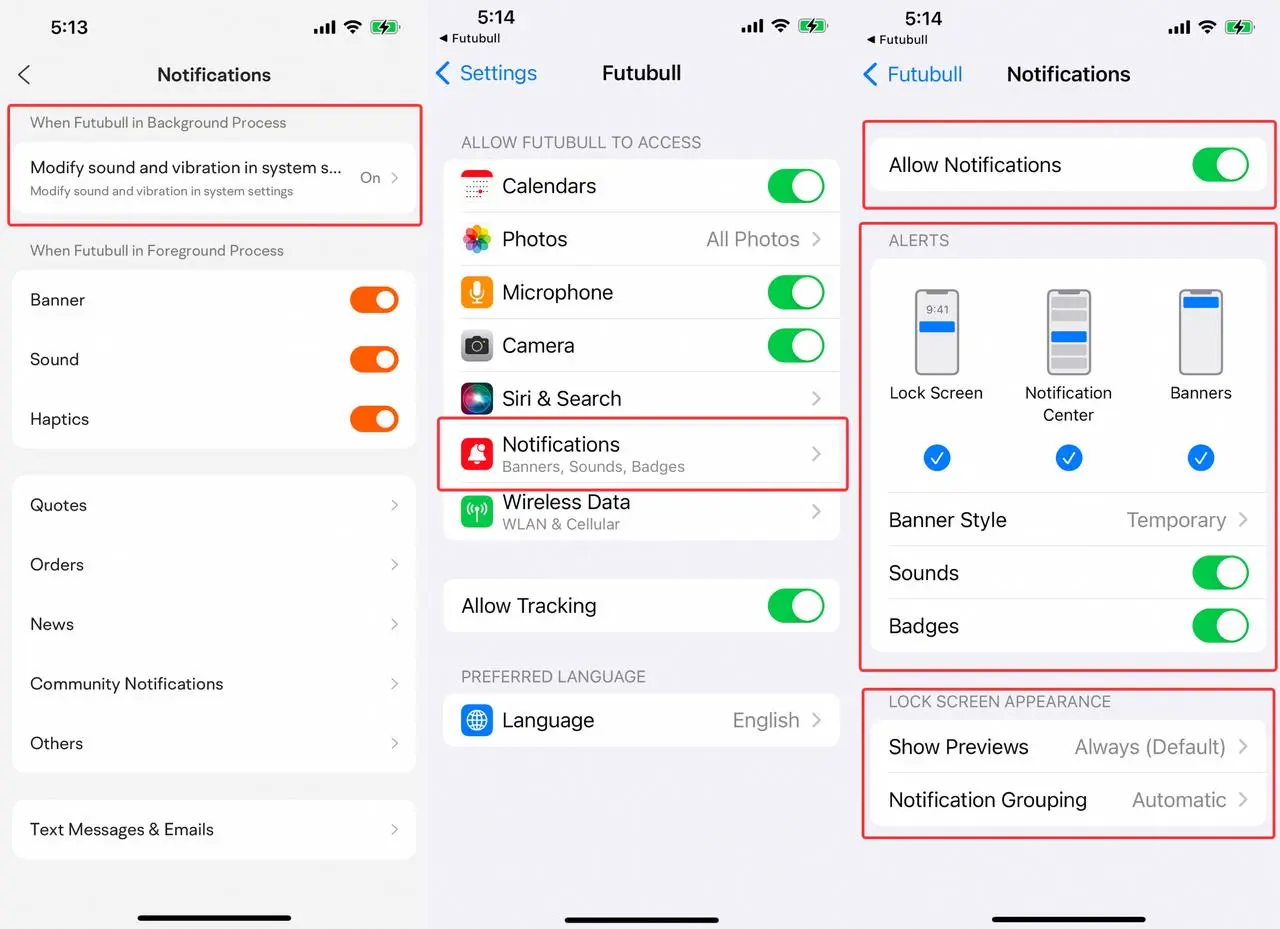
2.1 Open Futubull > Message > Settings > Notifications. Make sure Modify sound and vibration in system settings under When Futubull in Background Process is on.
2.2 Tap Modify sound and vibration in system settings > Notifications. Make sure all the notification settings are on.
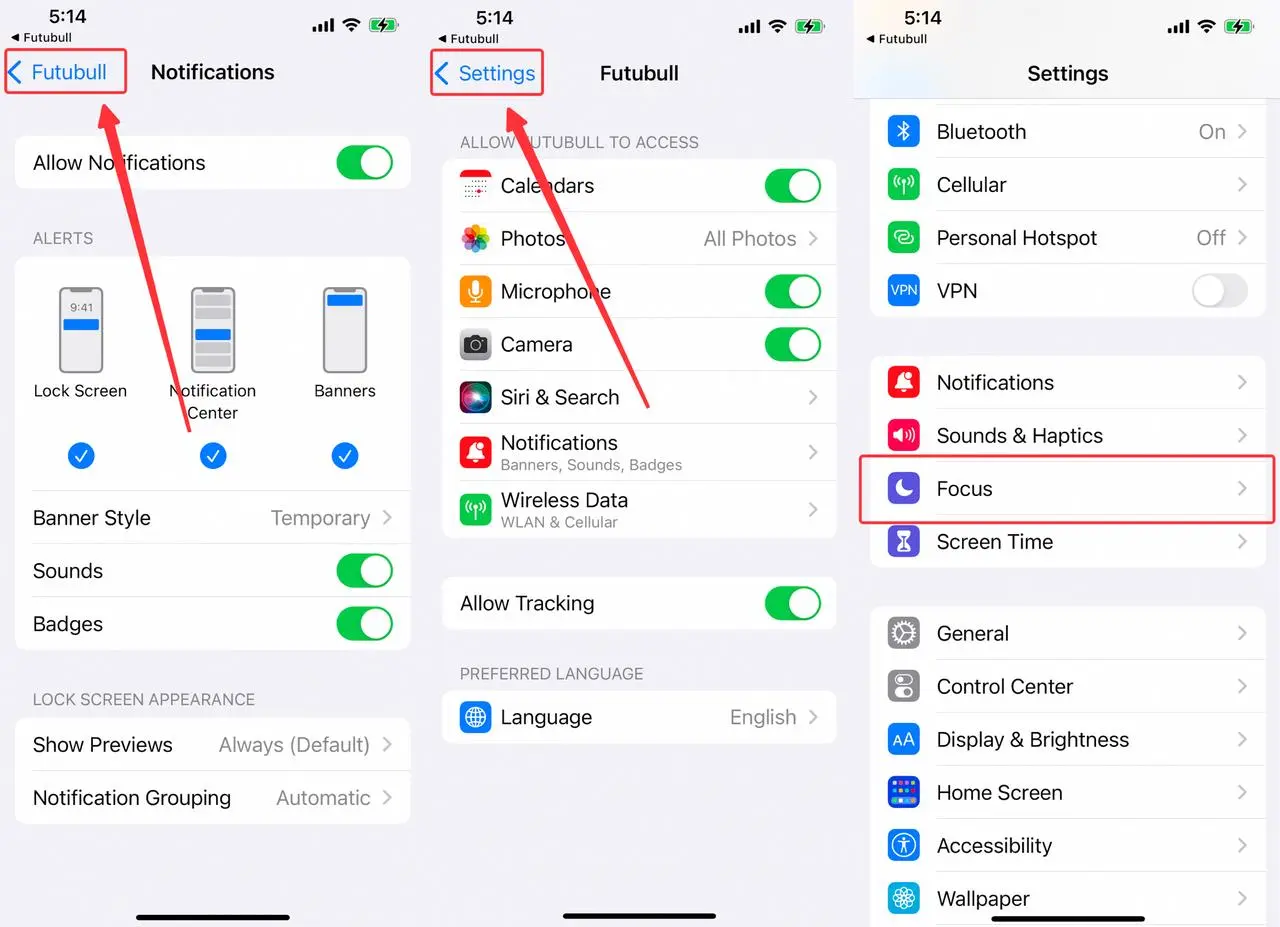
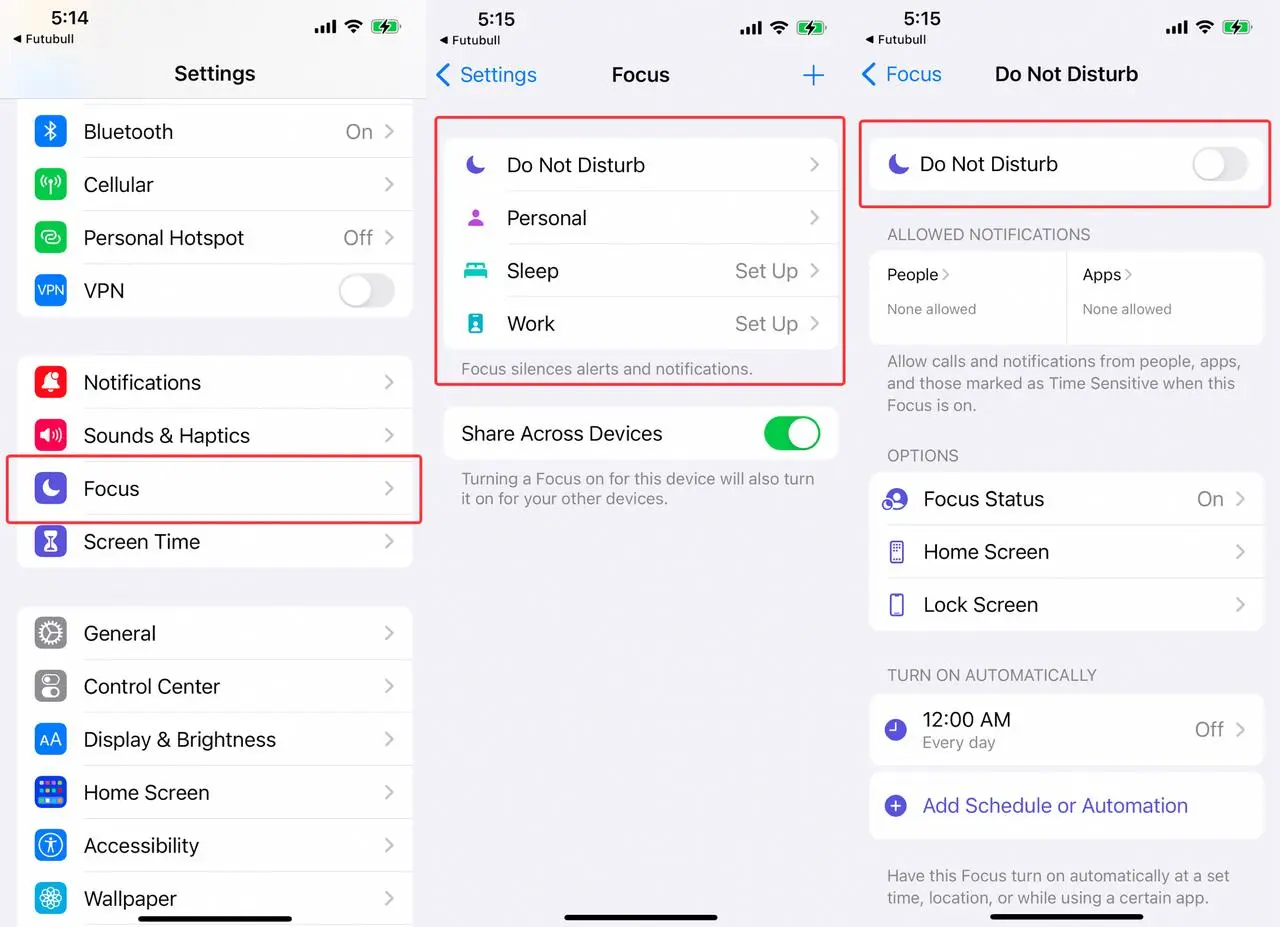
2.3 Tap Futubull > Settings > Focus > Do Not Disturb. Make sure Do Not Disturb is off.
Middle East conflict spreads to the stock market! How should investors respond?
On March 25 Eastern Time, according to Press TV, Iran's official media, reports on Wednesday indicated that Iran firmly rejected a ceasefire Show More
富哥搞钱
Feb 28 17:22
Breaking! The US and Israel jointly bombed Iran. What will be the stock market trend next week?
牛牛課堂
Mar 4 17:09
Long-term answers | Your account on the left shrinks, while your right hand is chased by the times — Be the person that no bombardment can ever wipe out.