FUTUBULL Help Center-Guidance for Changing Xiaomi's Notification Settings
English
Back
Open Account

Guidance for Changing Xiaomi's Notification Settings

1. No Sounds, Vibration, or Toasts for New Messages

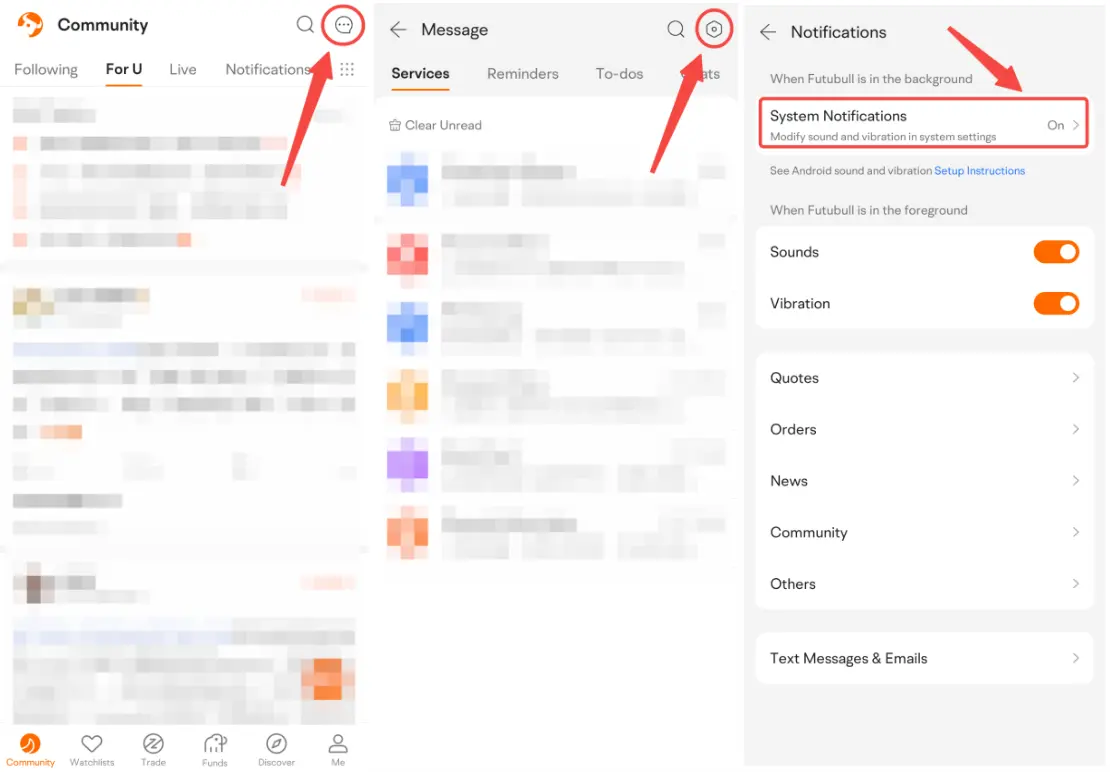
1. Open Futubull > Message > Settings > Notifications > System Notifications  


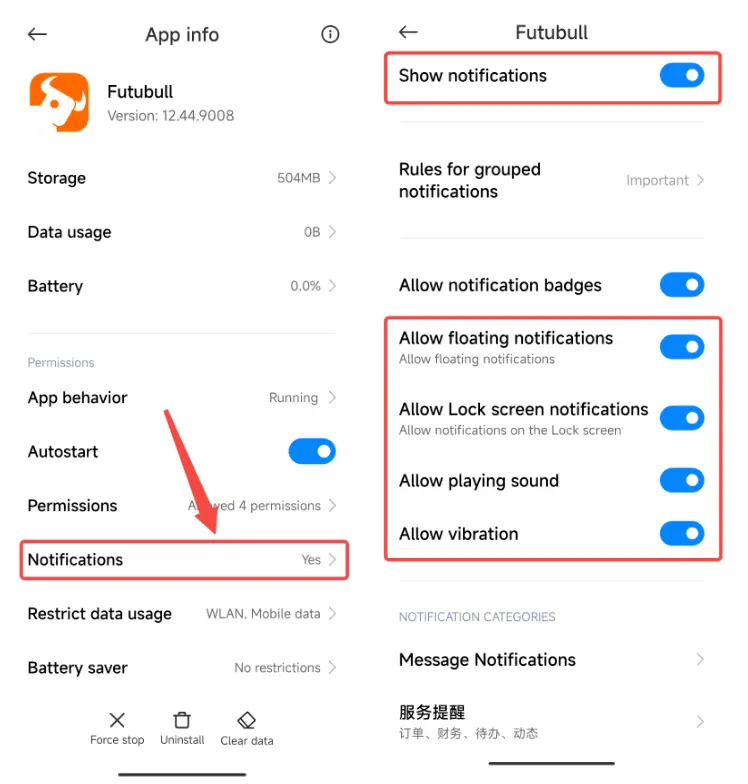
1.2 Open Notifications. Make sure Show notifications is on. Check these settings in turn: Allow floating notifications, Allow Lock screen notifications, Allow playing sound, and Allow vibration.


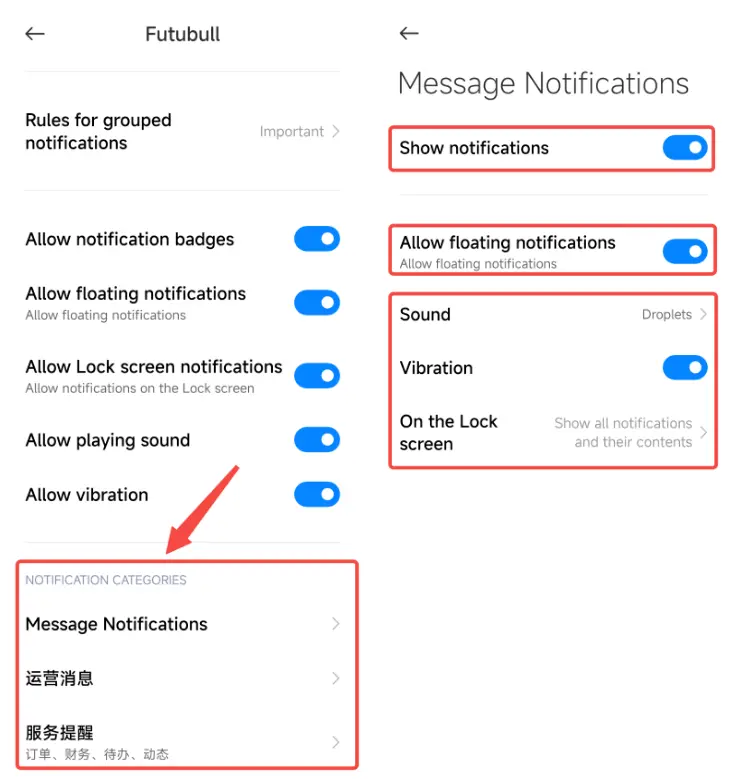
1.3 Tap all the Notification Categories in turn. Check the following settings: Show notifications, Allow floating notifications, Sound, Vibration, and On the Lock screen


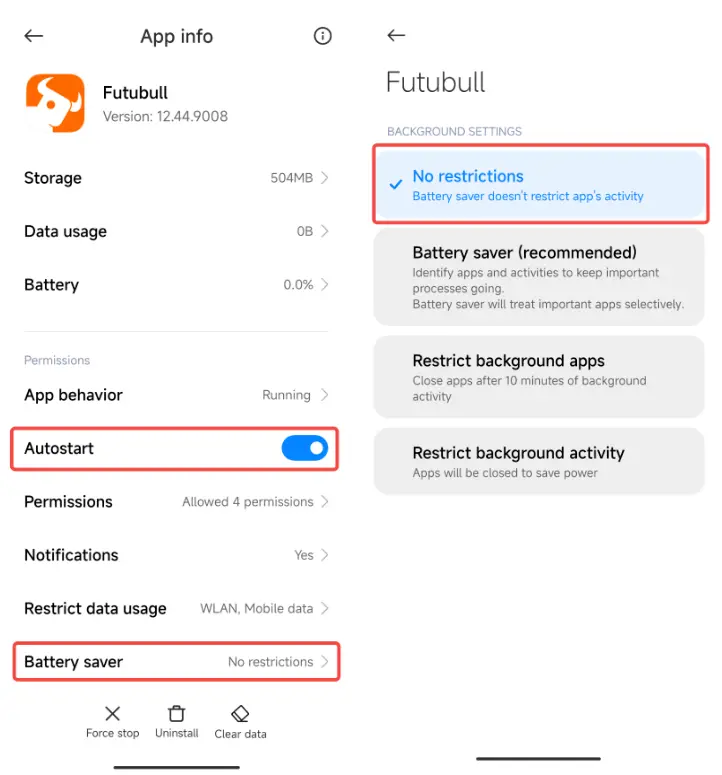
2. Can't Receive New Messages or Messages Delay

2.1 Open Futubull > Message > Settings > Notifications > System Notifications


2.2 Turn on Autostart. Tap Battery saver and choose No restrictions.

Market Insights
Middle East conflict spreads to the stock market! How should investors respond?
Recently, the ongoing conflict between the US and Iran has continued to disturb the stock market. On March 20, reports indicated that the Tr Show More