FUTUBULL Help Center-Guidance for Changing OPPO's Notification Settings
English
Back
Open Account

Guidance for Changing OPPO's Notification Settings

1. No Sounds, Vibration, or Toasts for New Messages

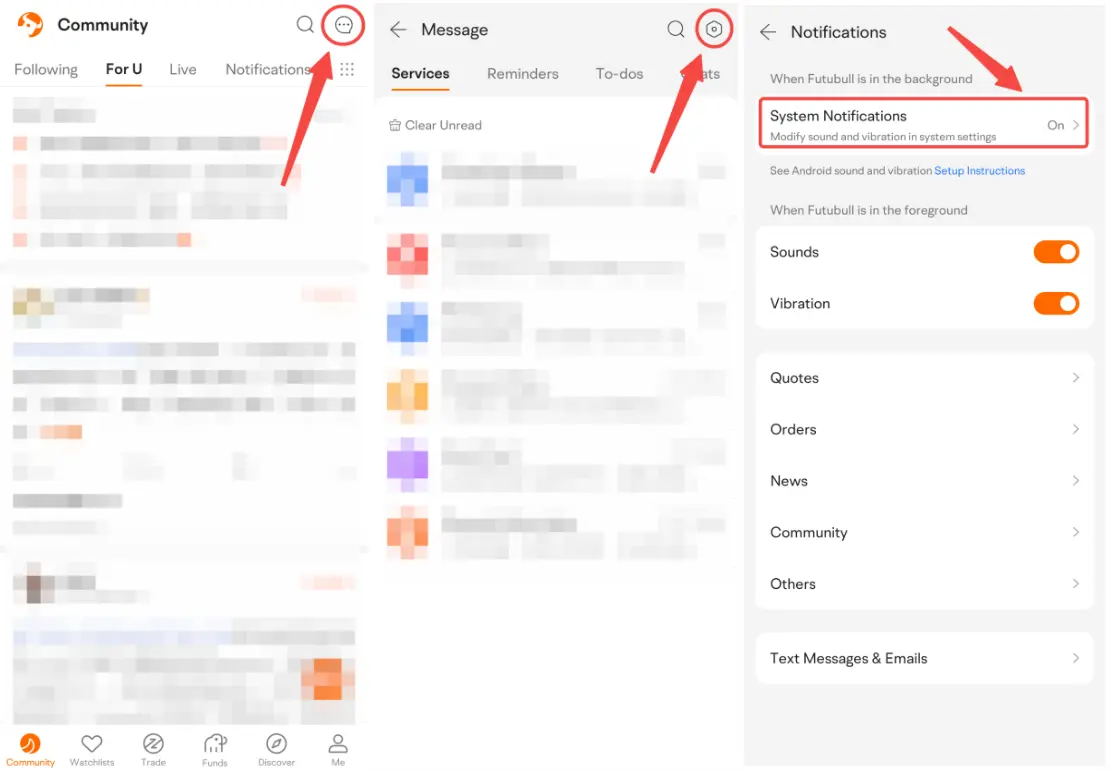
1.1 Open Futubull > Message > Settings > Notifications > System Notifications


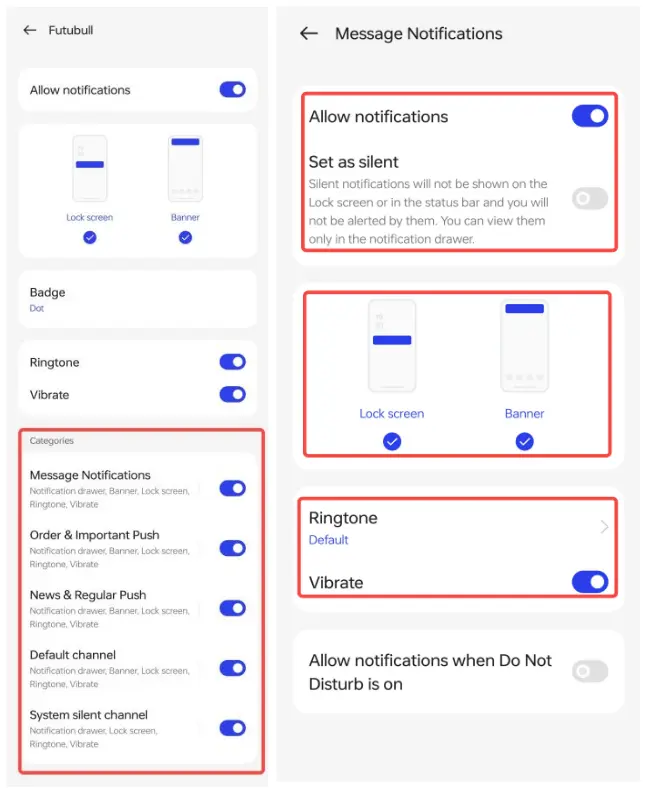
1.2 Tap Manage notifications. Make sure Allow notifications is on. Turn on these settings in turn: Lock screen, Banner, Ringtone, and Vibrate.


1.3 Tap all the settings under Categories in turn. Turn on Allow notifications, Lock screen, Banner, Ringtone, and Vibrate. Turn off Set as silent.


2. Can't Receive New Messages or Messages Delay

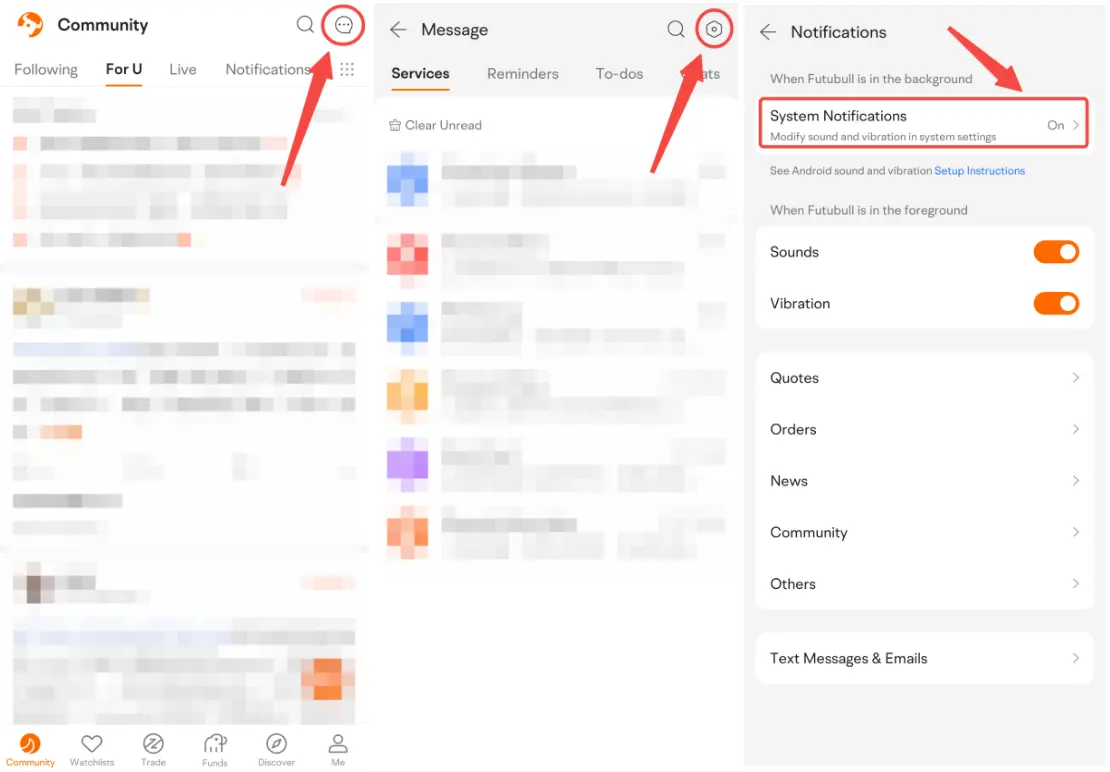
2.1 Open Futubull > Message > Settings > Notifications > System Notifications


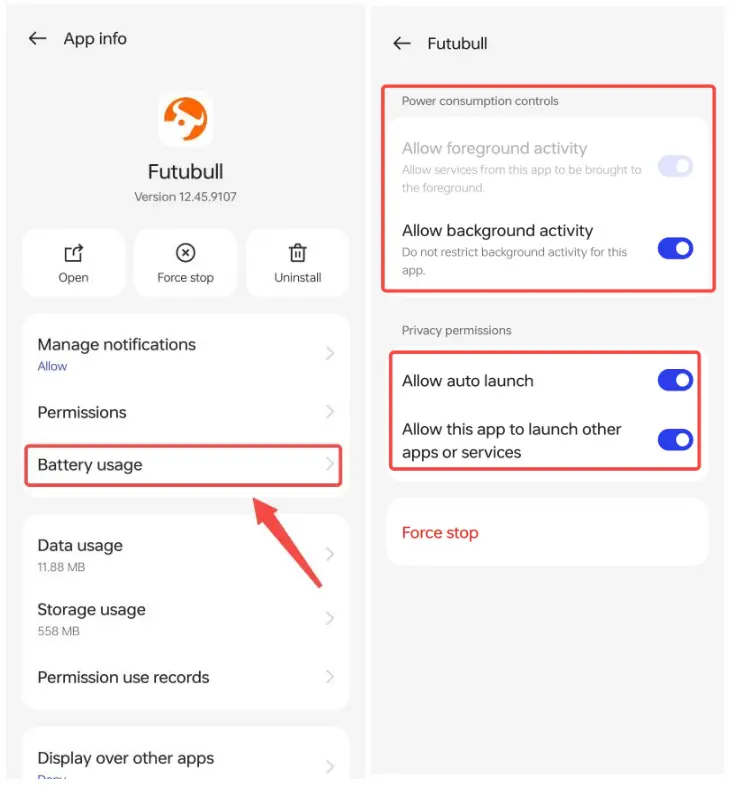
2.2 Tap Battery usage. Turn on Allow background activity, Allow auto launch, and Allow this app to launch other apps or services.

Market Insights
Middle East conflict spreads to the stock market! How should investors respond?
Recently, the prospect of a ceasefire negotiation between the US and Iran has been dominating market sentiment. Previously, news that the US Show More