FUTUBULL Help Center-Guidance for Changing Samsung's Notification Settings
English
Back
Open Account

Guidance for Changing Samsung's Notification Settings

1. No Sounds, Vibration, or Toasts for New Messages

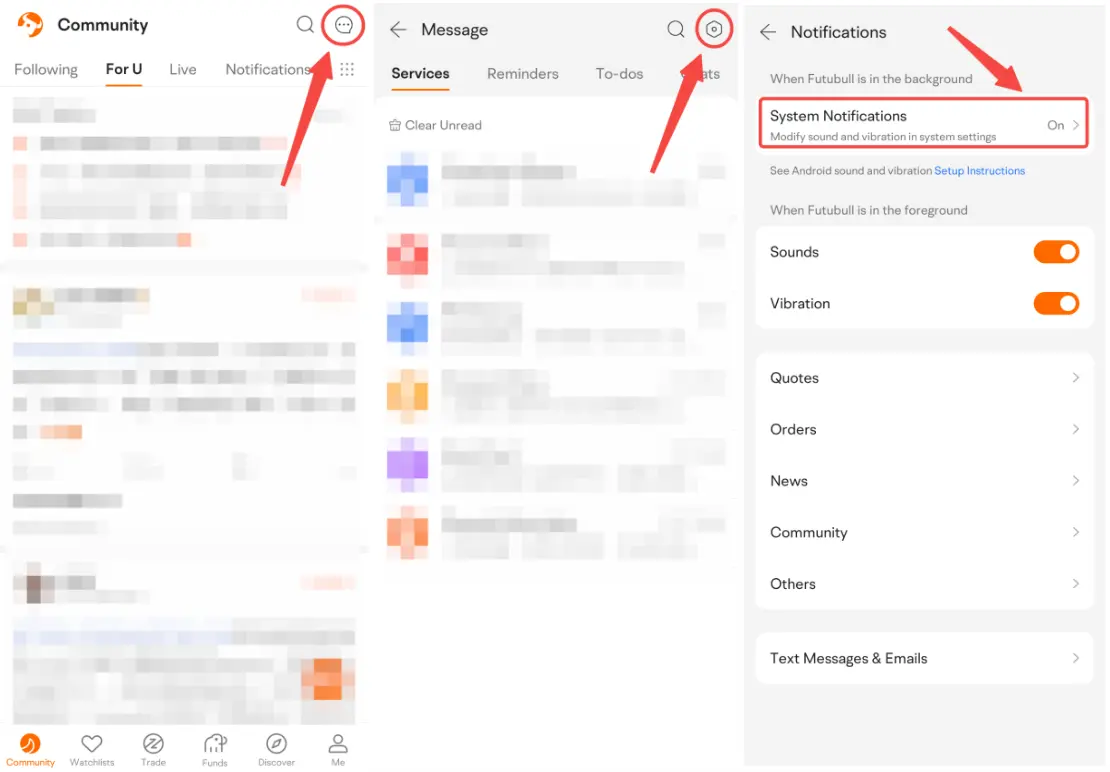
1.1 Open Futubull > Message > Settings > Notifications > System Notifications


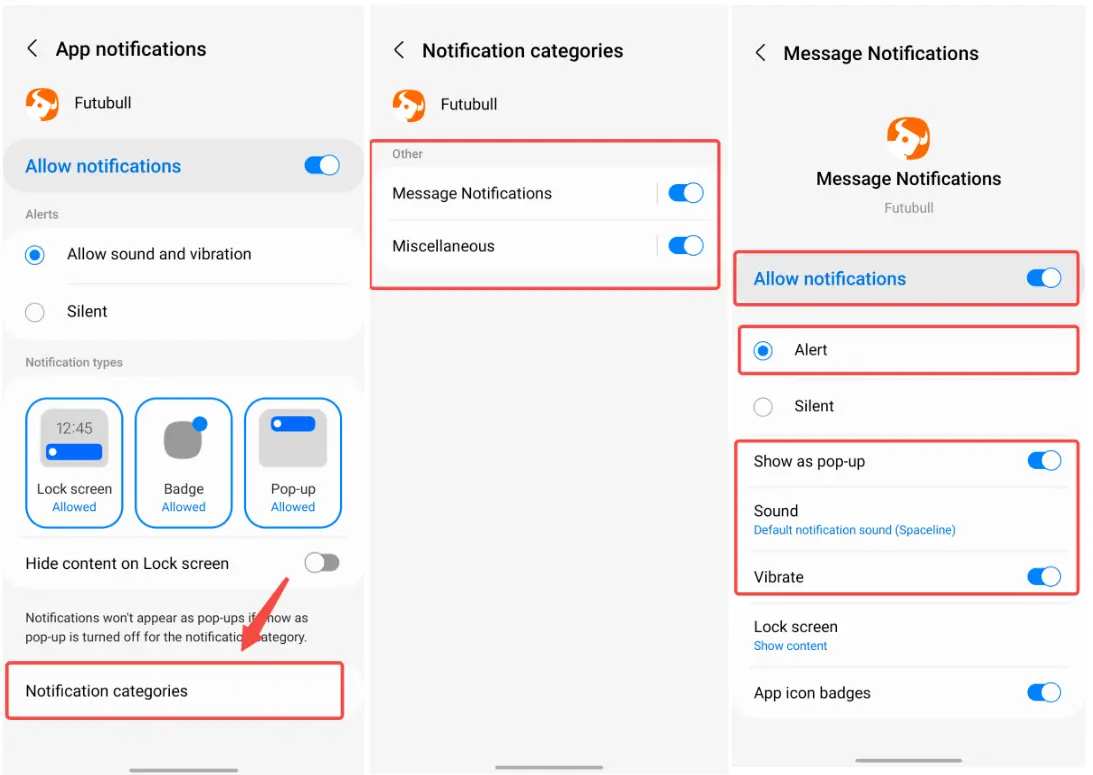
1.2 Tap Notifications. Make sure Allow notifications is on. Choose Allow sound and vibration.


1.3 Tap Notication categories. Tap Message Notifications and Miscellaneous in turn. Turn on Allow notifications and choose Alert. Turn on Show as pop-up and Vibrate. Set Sound.


2. Can't Receive New Messages or Messages Delay

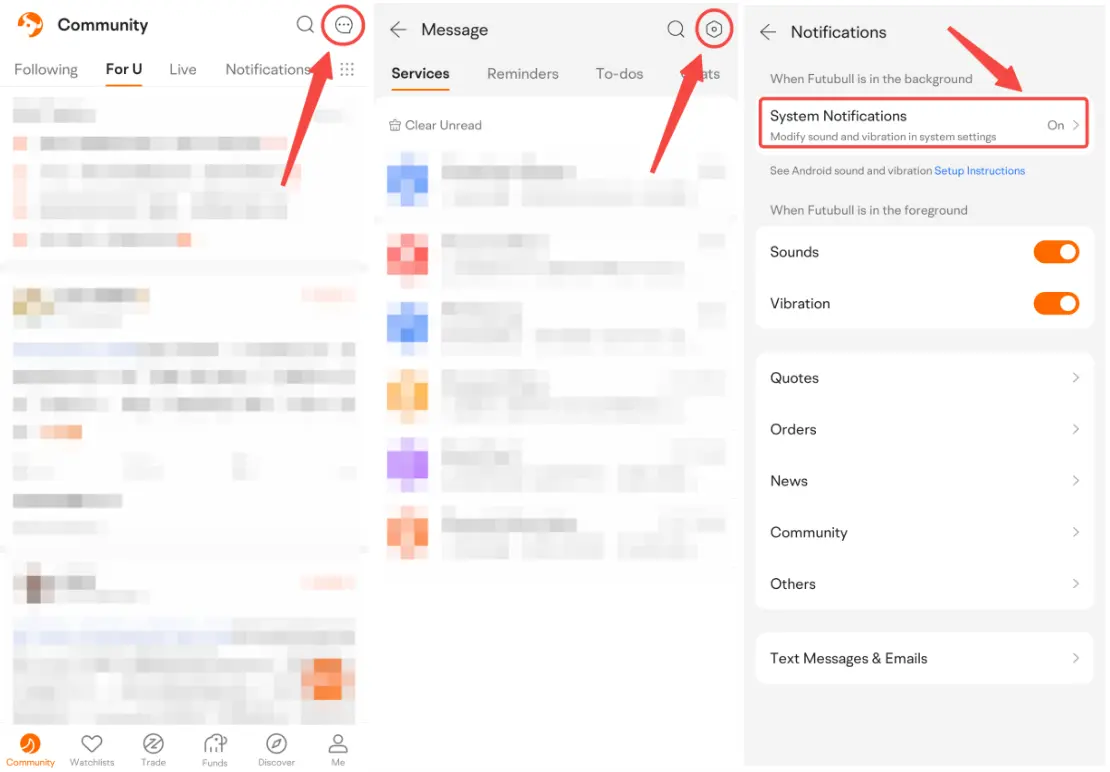
2.1 Open Futubull > Message > Settings > Notifications > System Notifications


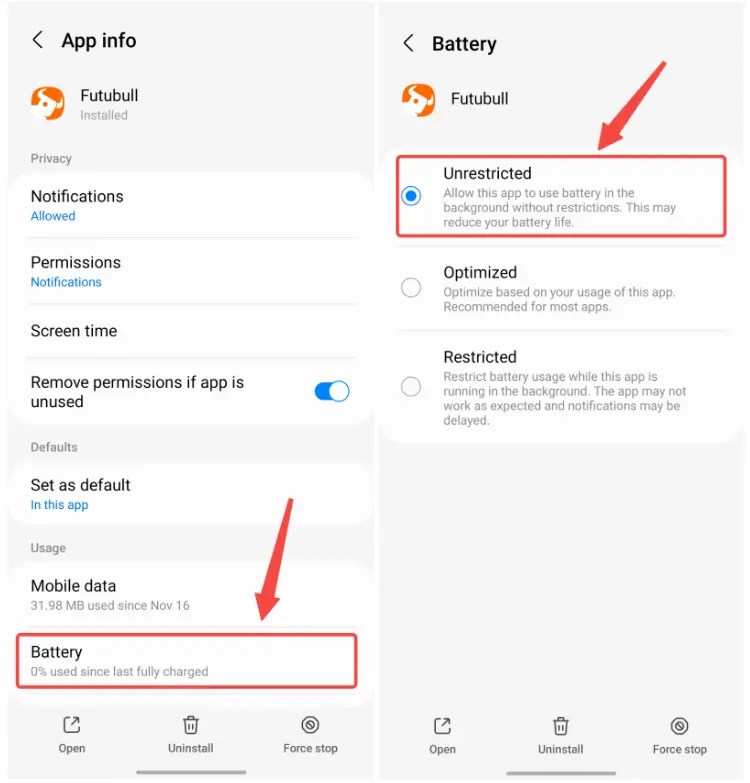
2.2 Tap Battery and choose Unrestricted.


2.3 If Google Play services is not available on your phone, it may result in no push notifications when not using Futubull. Here is the solution. Go to Recent apps. Tap the icon of Futubull and choose Lock this app.

Market Insights
Middle East conflict spreads to the stock market! How should investors respond?
On March 23 Eastern Time, US President Trump stated that 'Very good and productive talks were held with Iran over the past two days, and I h Show More