FUTUBULL Help Center-Guidance for Changing Xiaomi's Notification Settings
English
Back
Open Account

Guidance for Changing Xiaomi's Notification Settings

1. No Sounds, Vibration, or Toasts for New Messages

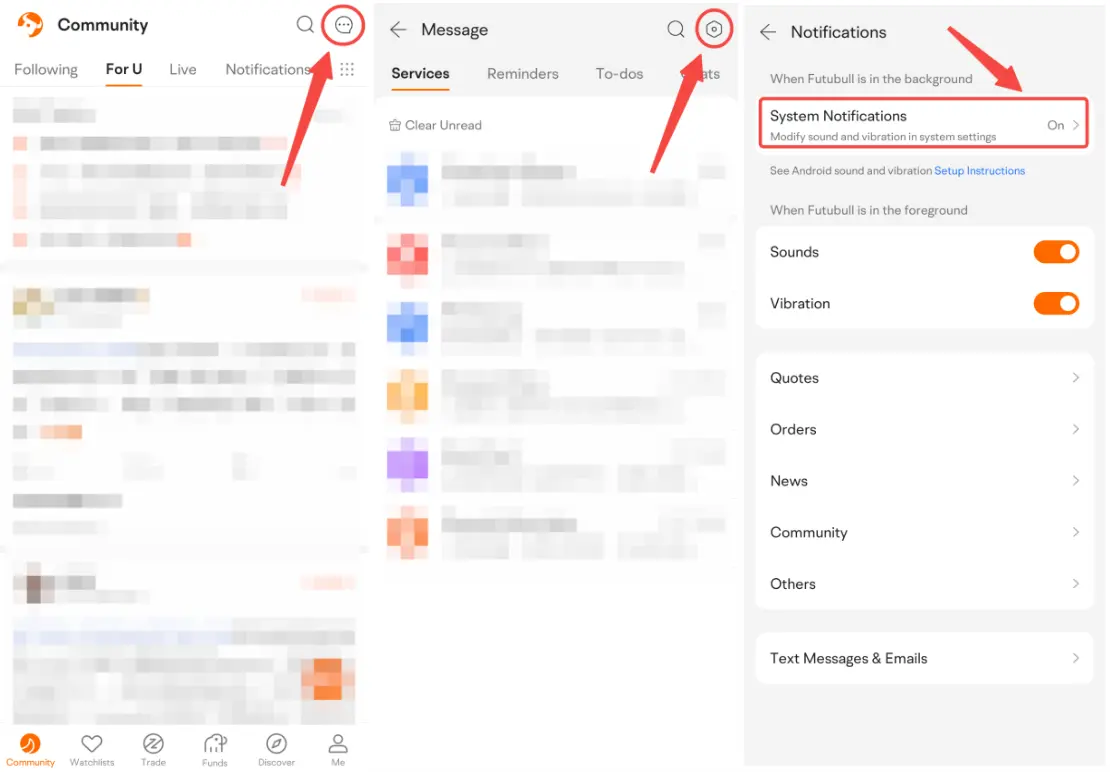
1. Open Futubull > Message > Settings > Notifications > System Notifications  


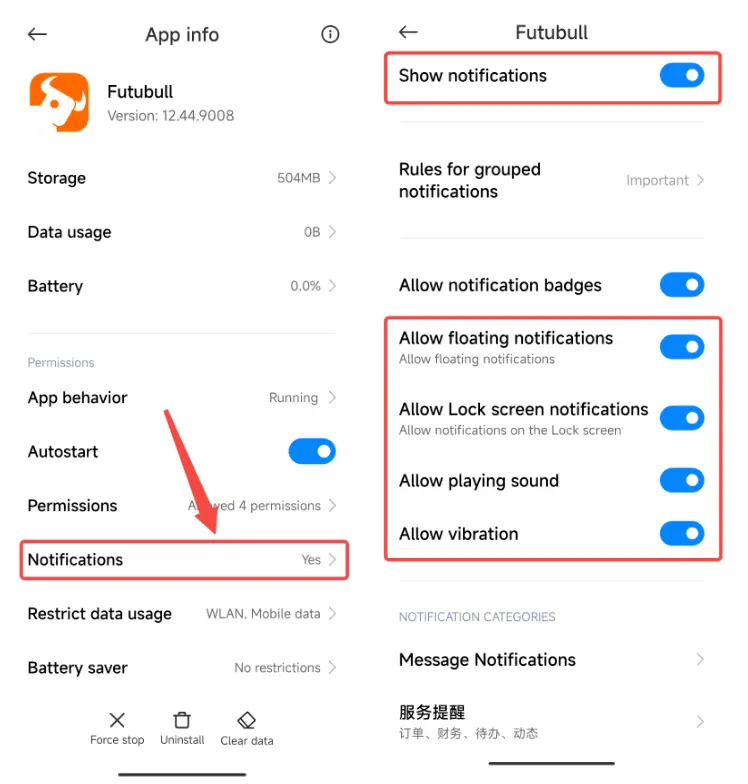
1.2 Open Notifications. Make sure Show notifications is on. Check these settings in turn: Allow floating notifications, Allow Lock screen notifications, Allow playing sound, and Allow vibration.


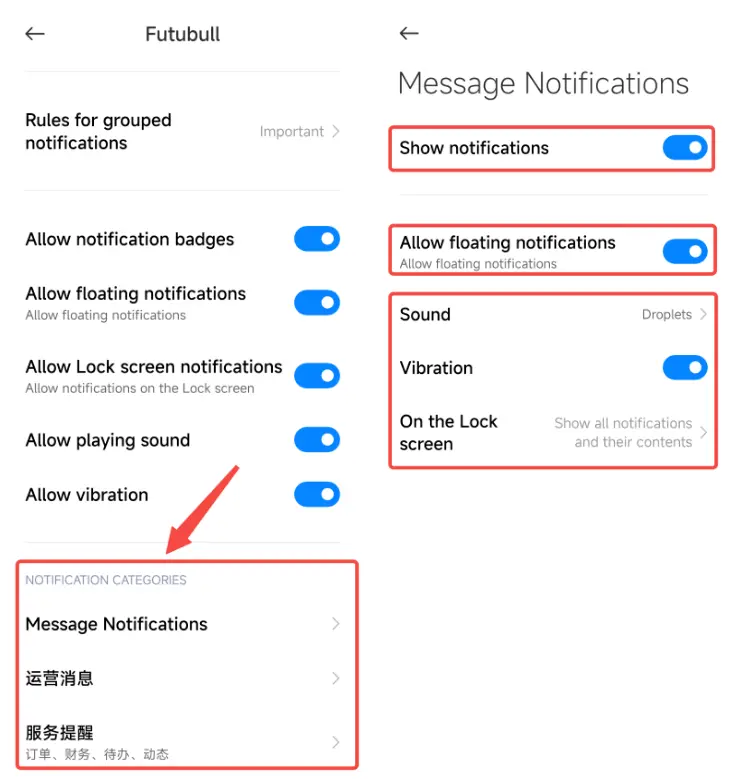
1.3 Tap all the Notification Categories in turn. Check the following settings: Show notifications, Allow floating notifications, Sound, Vibration, and On the Lock screen


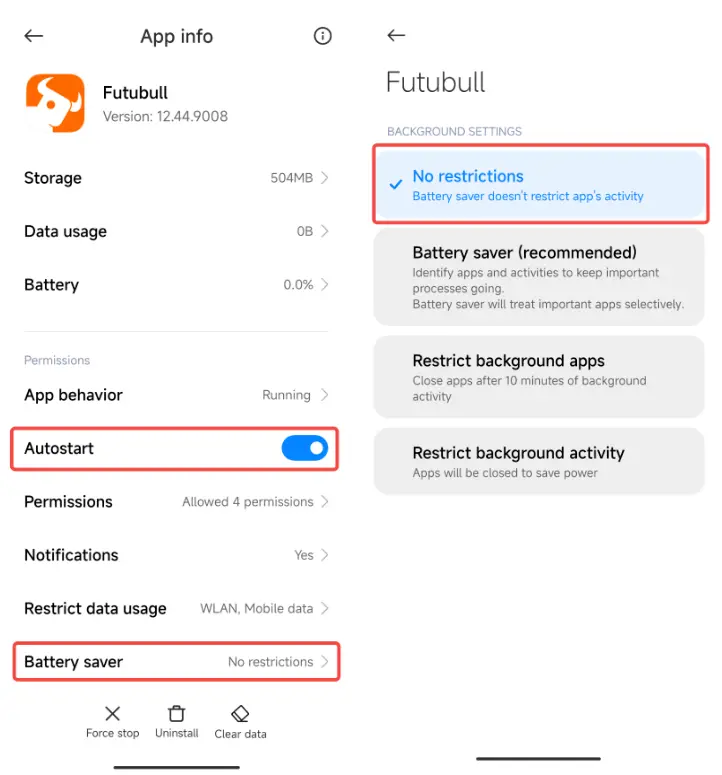
2. Can't Receive New Messages or Messages Delay

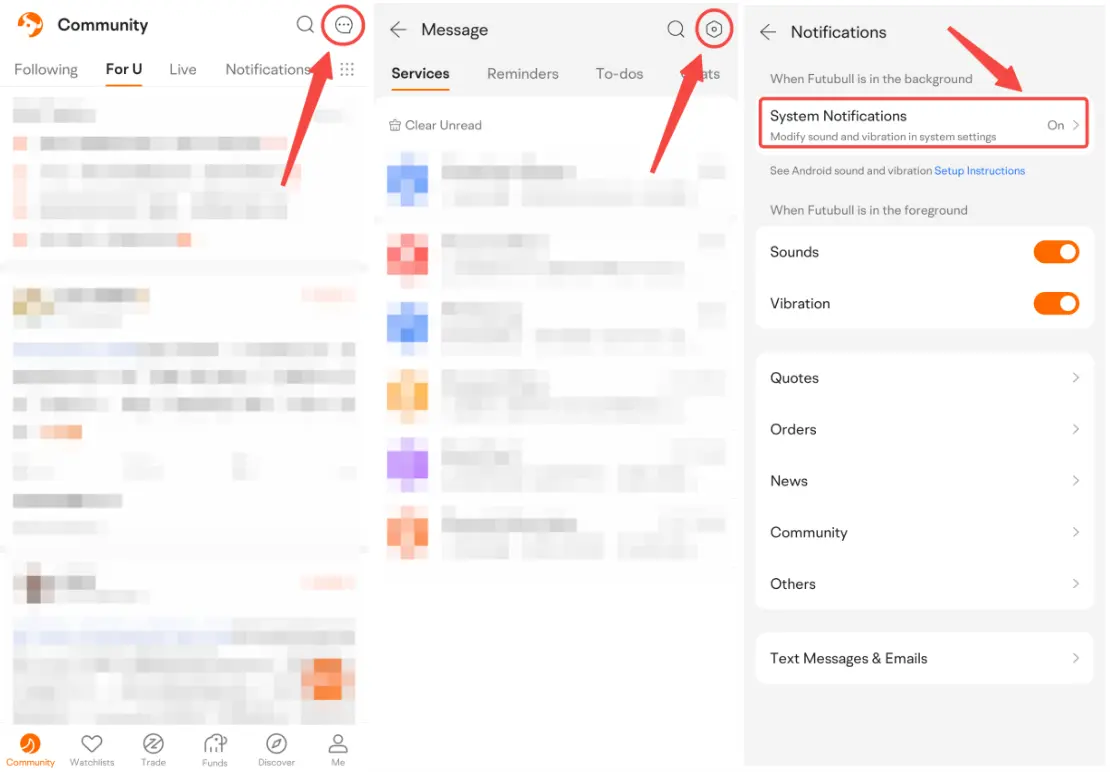
2.1 Open Futubull > Message > Settings > Notifications > System Notifications


2.2 Turn on Autostart. Tap Battery saver and choose No restrictions.

Market Insights
Middle East conflict spreads to the stock market! How should investors respond?
On May 7 Eastern Time, as the US-Iran negotiations entered a critical window amid external expectations and various parties' strategic maneu Show More